How to setup a WhatsApp channel?
Onboarding workflow inside Cyntrao
Step 1. Go to Settings → Inboxes → “Add Inbox”. Select WhatsApp.
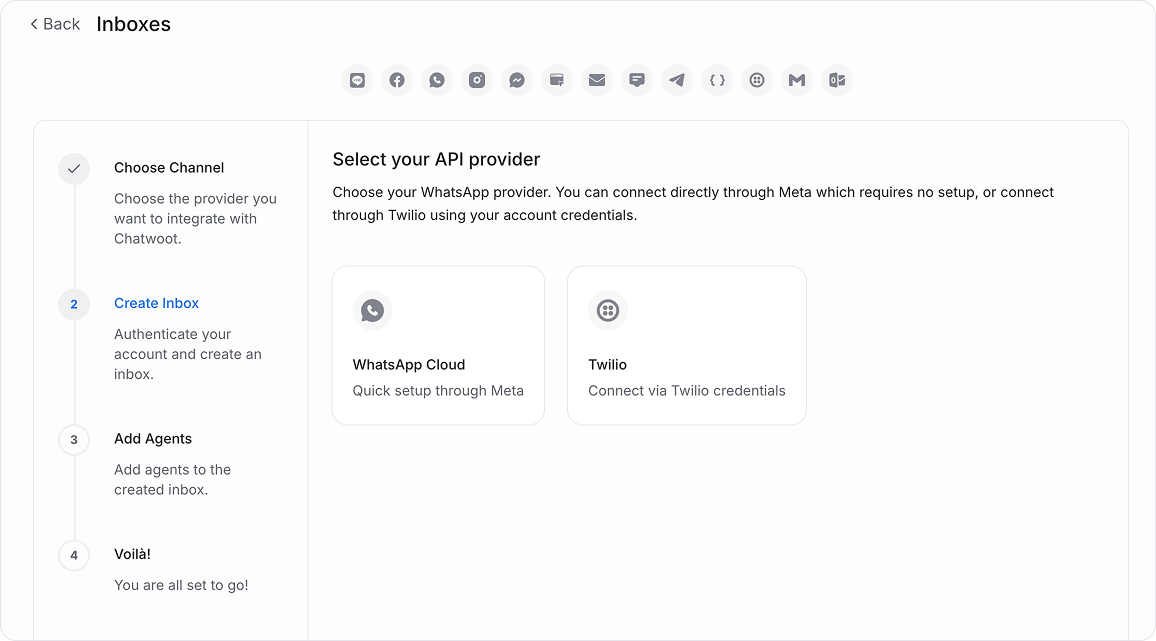
Step 2. Click on the "Connect with WhatsApp Business" button.
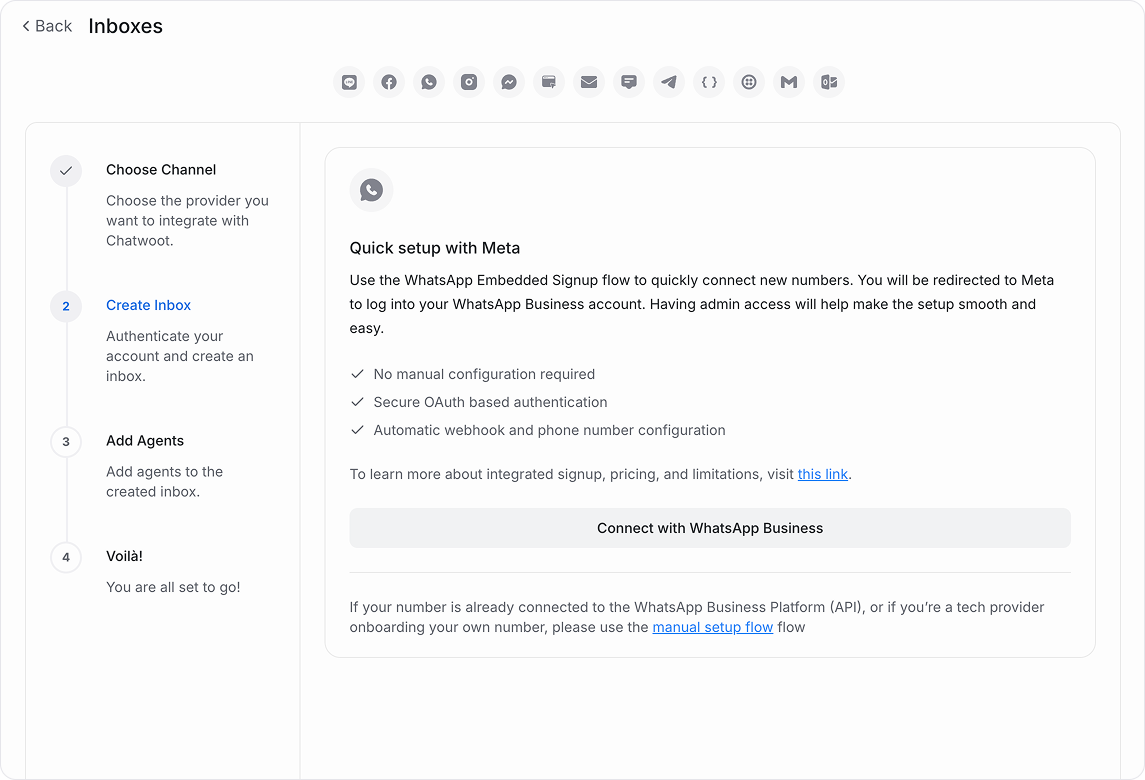
Step 3. Start Meta flow. Log in with the Facebook account that will manage the WABA. Provide business details or pick an existing portfolio, then choose an existing WABA or create a new one.
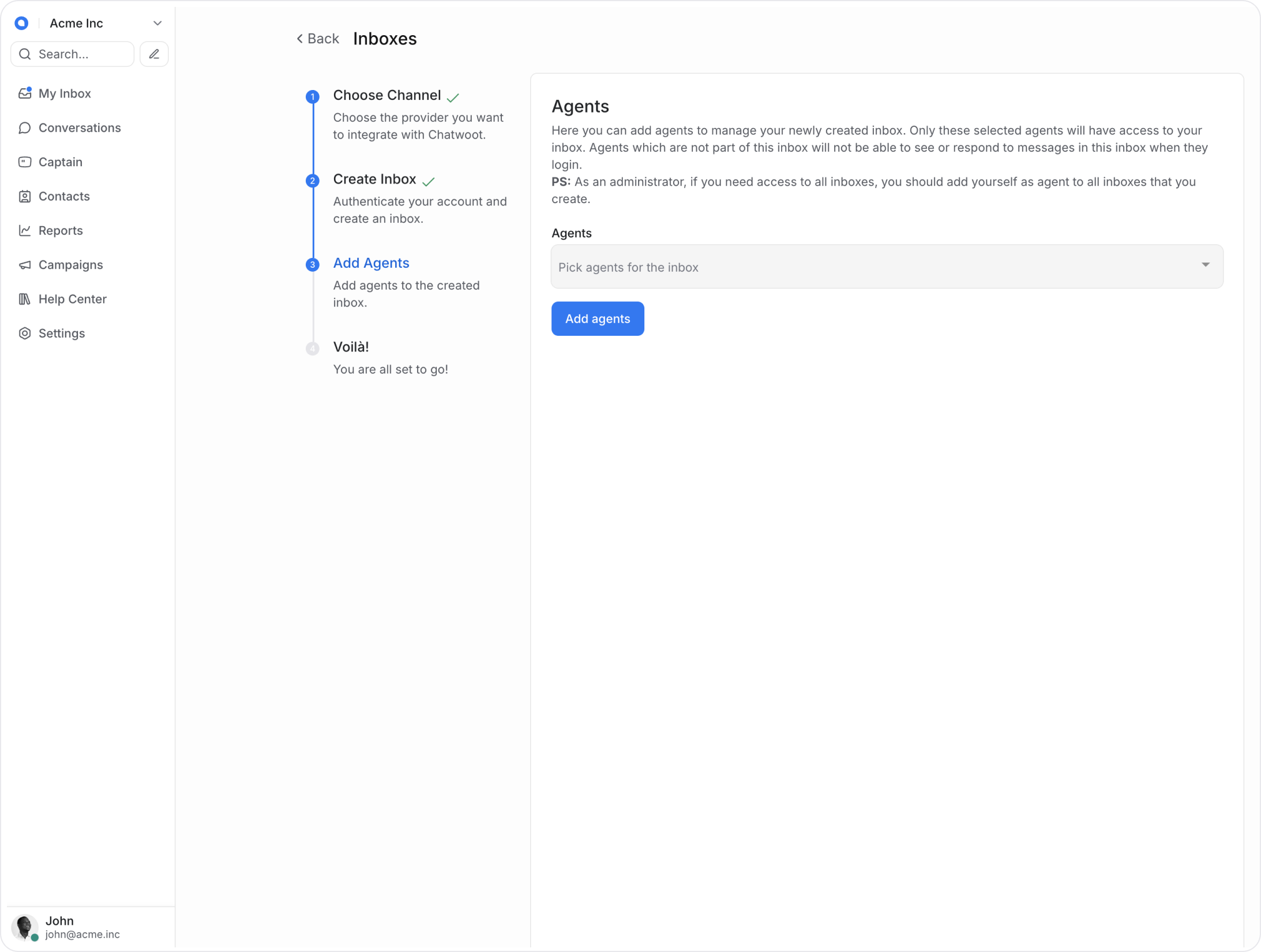
Step 4. "Add agents" to your Instagram inbox.
Tip: Use a dedicated browser tab and disable ad-blockers; Meta’s OAuth windows rely on third-party cookies
Compliance checkpoints
-
Business verification: Upload legal documents if Meta prompts during or after signup
-
Display name review: Ensure the WhatsApp display name matches branding guidelines to prevent rejection